> For the complete documentation index, see [llms.txt](https://hash7-gitbook.gitbook.io/ru/llms.txt). Markdown versions of documentation pages are available by appending `.md` to page URLs; this page is available as [Markdown](https://hash7-gitbook.gitbook.io/ru/bystryi-start/2.9-import-aktiva.md).

# 2.9 Импорт актива

<mark style="background-color:purple;">**Импорт актива дает возможность создать стратегию внутри приложения Hash7 с активом, который уже есть у вас на бирже.**</mark>&#x20;

**❗️❗️**<mark style="color:red;">**Важно:**</mark> Вы сможете импортировать актив в бота только в том случае, если он торгуется на бирже, доступен для торговли в боте и не используется в другой стратегии с такой же парой. **❗️❗️**

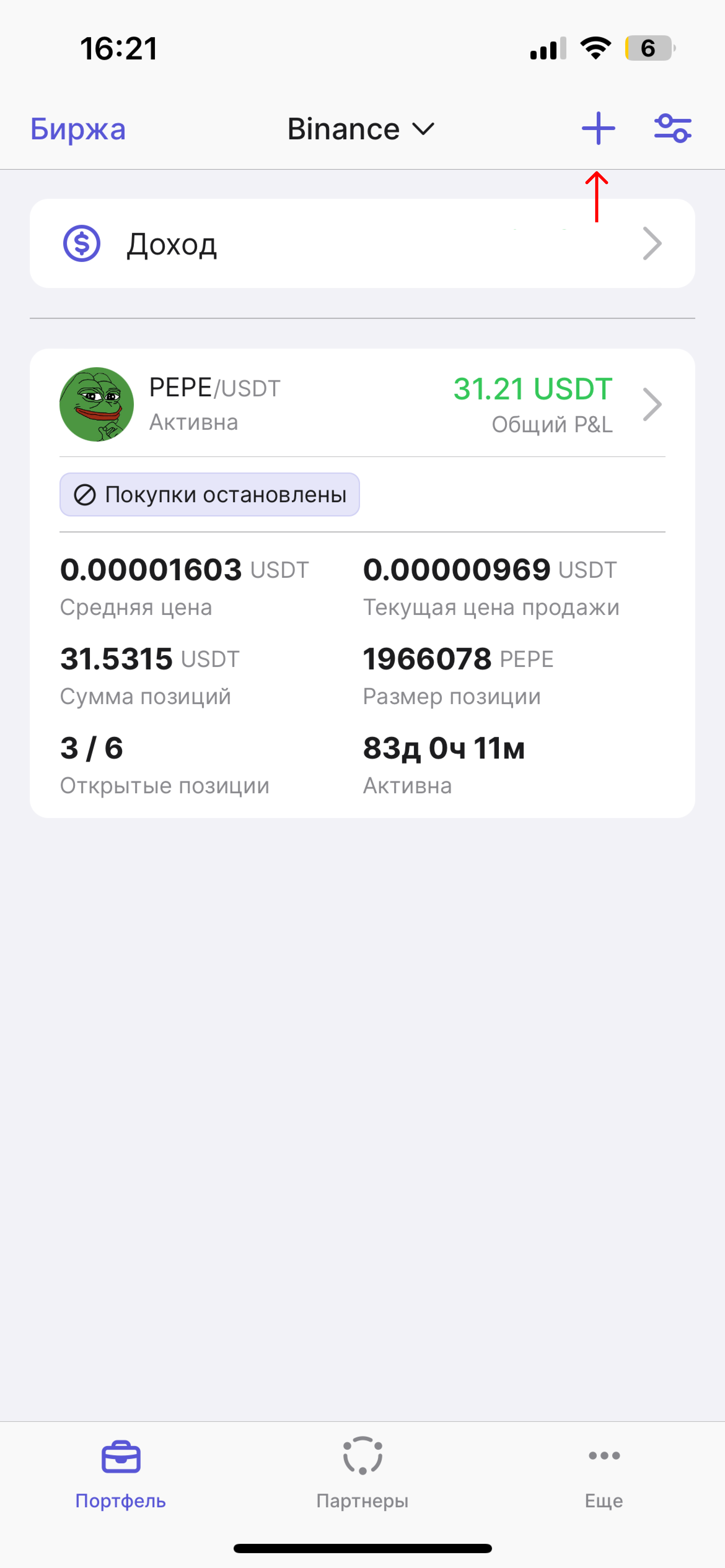
1. Откройте приложение Hash7 и на вкладке "Портфель" нажмите на плюс в правом верхнем углу.

<figure><img src="/files/lNfkaSi9Dtp83OerUHKA" alt="" width="375"><figcaption></figcaption></figure>

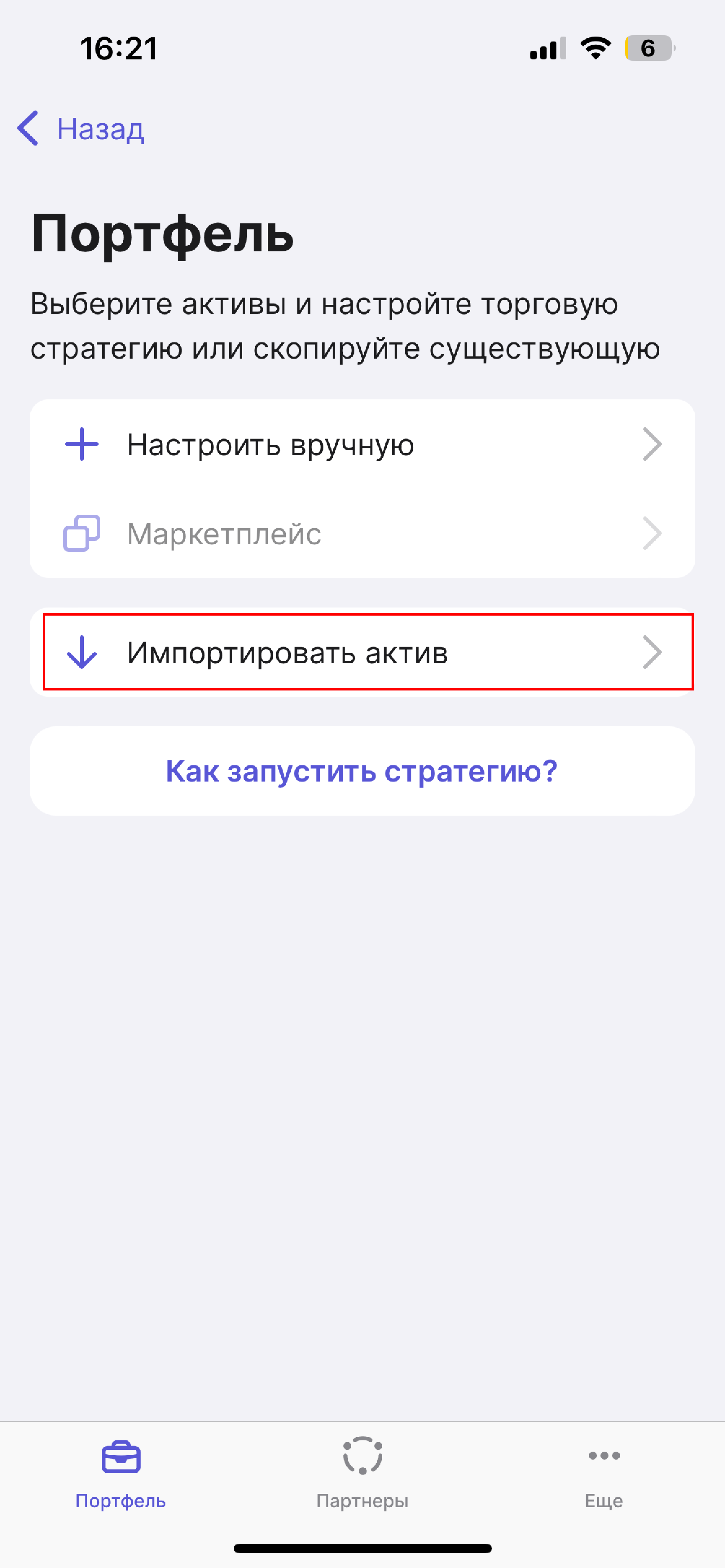
2. Нажмите на "Импортировать актив".

<figure><img src="/files/7eLBBQJn6NOdO7jGoRws" alt="" width="375"><figcaption></figcaption></figure>

3. Выберите желаемый актив для импорта.&#x20;

<figure><img src="/files/ayujUaB2Ituil5whQiac" alt="" width="375"><figcaption></figcaption></figure>

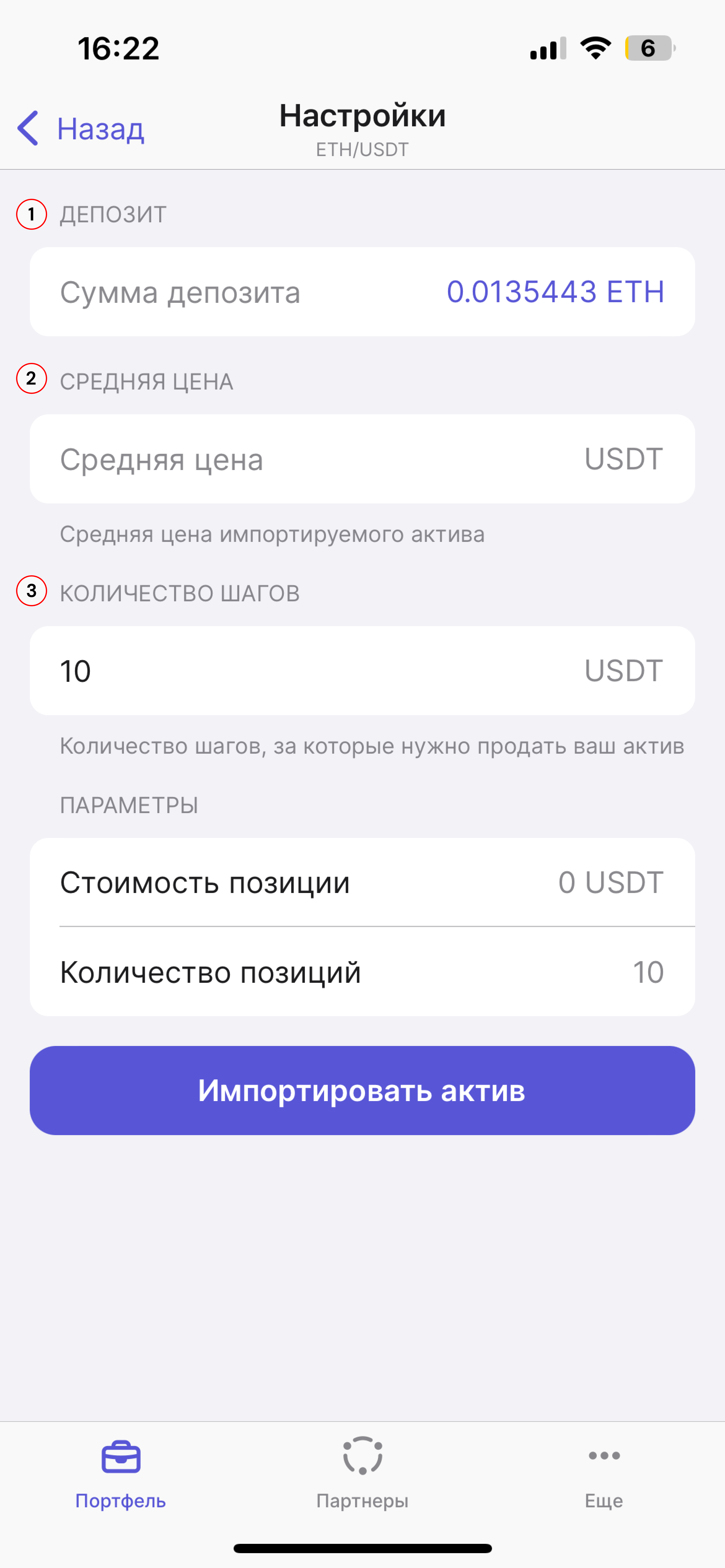
4. На открывшейся странице, укажите следующие параметры для построения сетки актива:&#x20;

**Депозит** - желаемое количество актива на продажу. Вы можете ввести значение вручную, либо нажать на значение справа, чтобы использовать весь доступный актив.

**Средняя цена** - средняя цена выбранного актива. Данную цену вы можете посмотреть в приложении Hash7, либо самостоятельно вписать желаемый курс. На бирже вы также можете посмотреть по какому курсу был куплен актив и вписать его в данное поле.

**Количество шагов** - укажите количество шагов, за которое вы хотите продать актив.&#x20;

*Параметры стратегии* подтянутся автоматически, исходя из указанных вами настроек. Обратите, пожалуйста, внимание, что стоимость позиции не может быть меньше чем 10 USDT.

<figure><img src="/files/00zXbzPp5aMaR2d1J4m7" alt="" width="375"><figcaption></figcaption></figure>

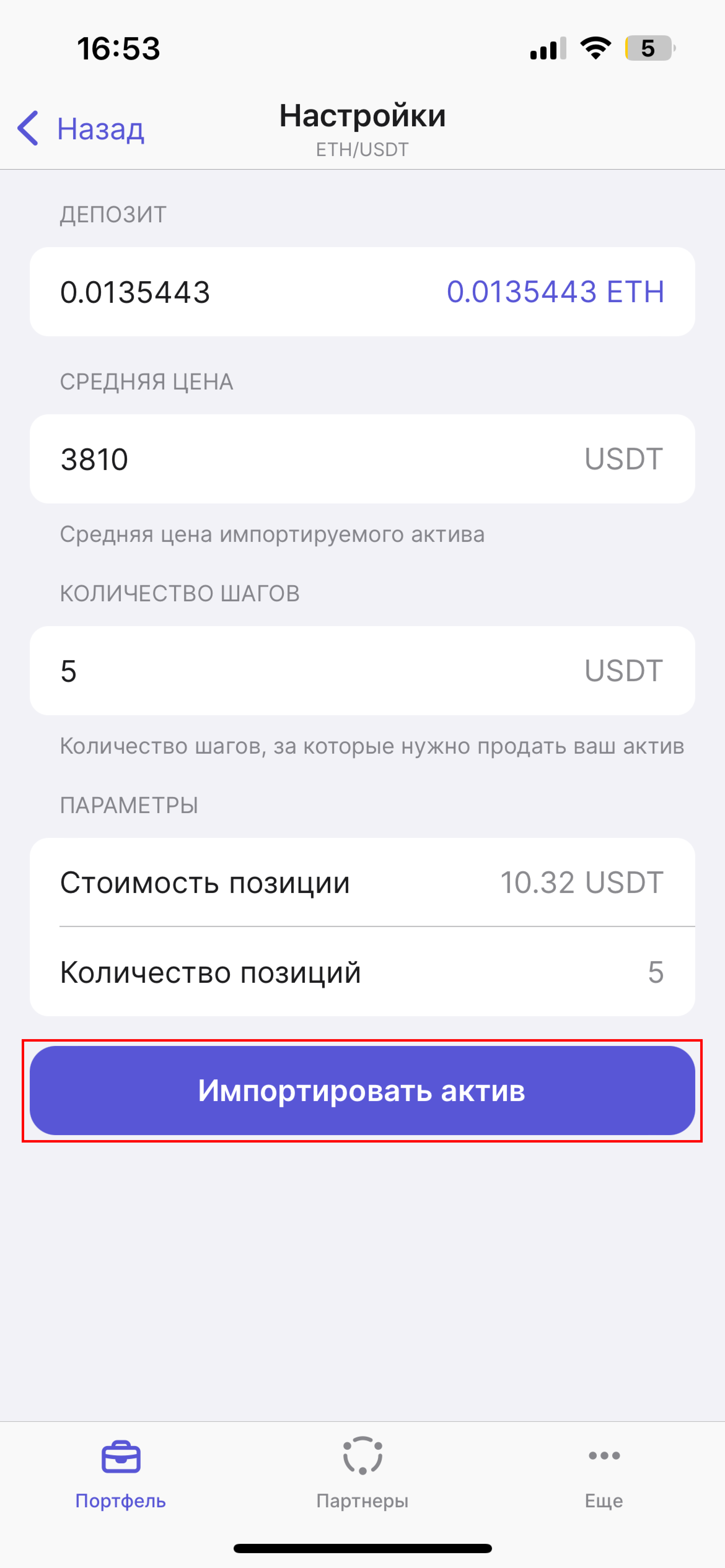
5. После настроек стратегии, нажмите на "Импортировать актив".

<figure><img src="/files/6Czk5FdAMtocujQGdn2L" alt="" width="375"><figcaption></figcaption></figure>

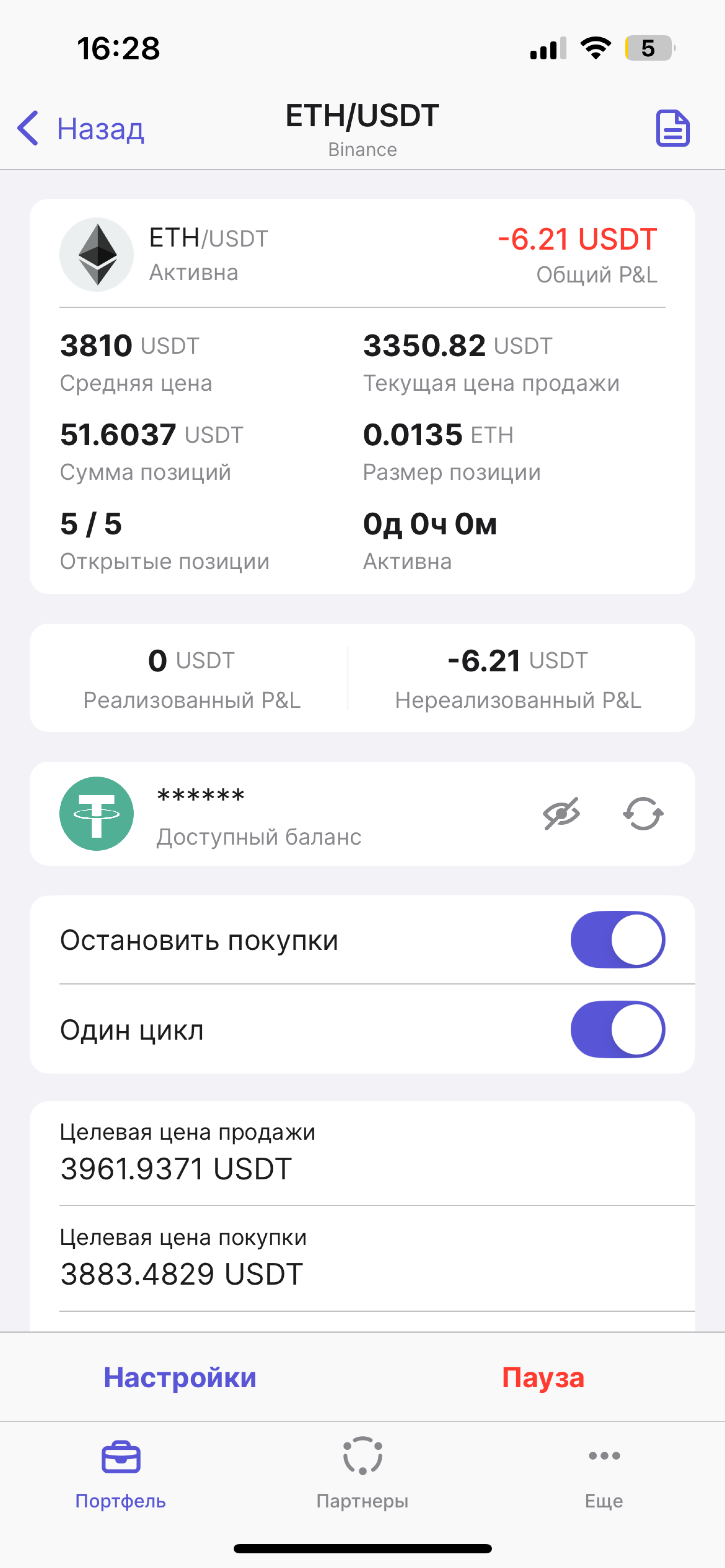
6. Ваша стратегия с имортированным активом успешно создалась! Осталось запустить стратегию. Для этого нажмите на саму стратегию.&#x20;

<figure><img src="/files/nEKZTcdMpjNmGrAllOru" alt="" width="375"><figcaption></figcaption></figure>

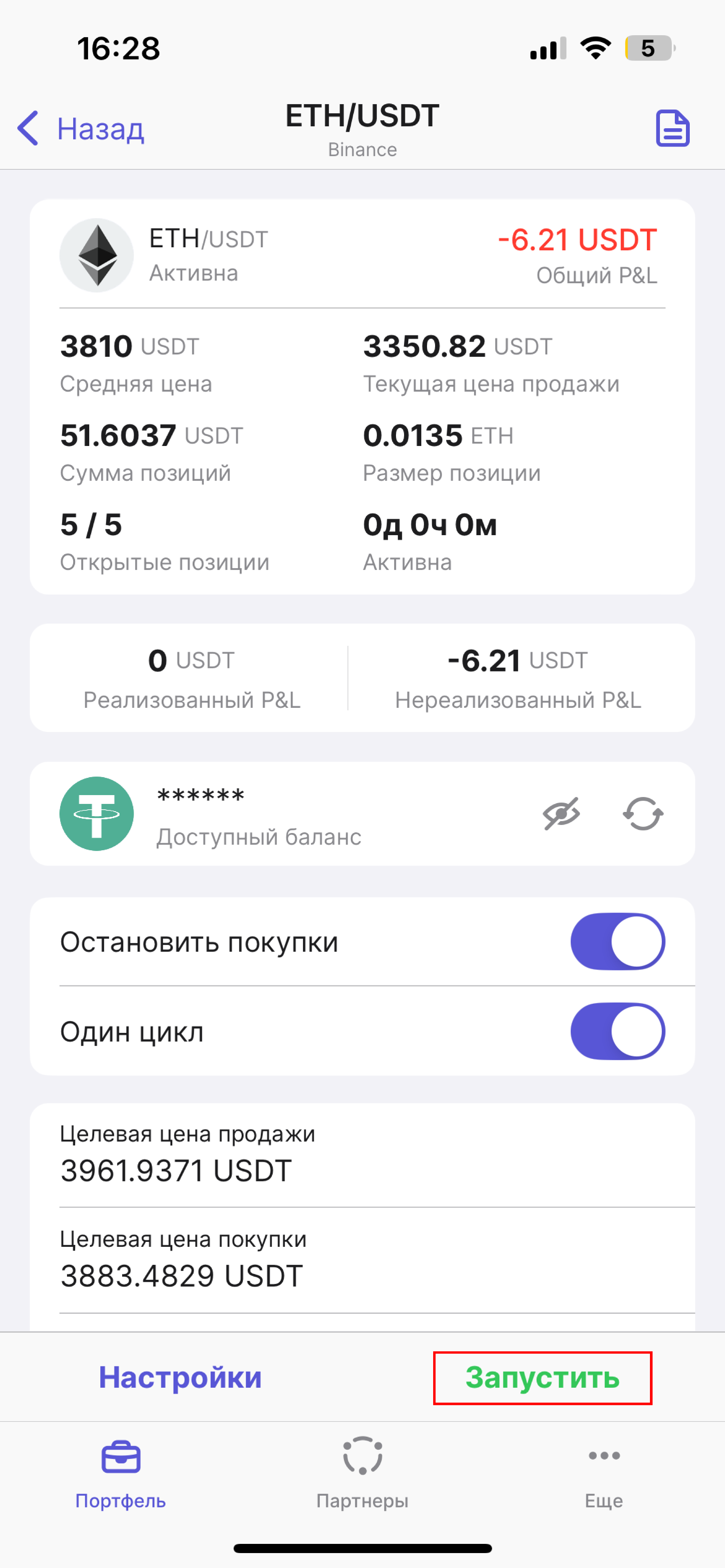
7. На главной странице стратегии нажмите на "Запустить".

<figure><img src="/files/ul3gzP8tql3inSQzwr5F" alt="" width="375"><figcaption></figcaption></figure>

8. Ваша стратегия успешно запущена и актив импортирован!
<figure><img src="/files/BPZfMzq5tizP5hXMI8PR" alt="" width="375"><figcaption></figcaption></figure>


---

# Agent Instructions
This documentation is published with GitBook. GitBook is the documentation platform designed so that both humans and AI agents can read, navigate, and reason over technical content effectively. Learn more at gitbook.com.

## Querying This Documentation
If you need additional information that is not directly available in this page, you can query the documentation dynamically by asking a question.

Perform an HTTP GET request on the current page URL with the `ask` query parameter, and the optional `goal` query parameter:

```
GET https://hash7-gitbook.gitbook.io/ru/bystryi-start/2.9-import-aktiva.md?ask=<question>&goal=<endgoal>
```

`ask` is the immediate question: it should be specific, self-contained, and written in natural language.
`goal` is optional and describes the broader end goal you are ultimately trying to accomplish on behalf of the user. GitBook uses it to tailor the answer towards what is most useful for that goal.

The response will contain a direct answer to the question and relevant excerpts and sources from the documentation.

Use this mechanism when the answer is not explicitly present in the current page, you need clarification or additional context, or you want to retrieve related documentation sections.